
https://thiccboi53.itch.io/box-invaders
Introduction
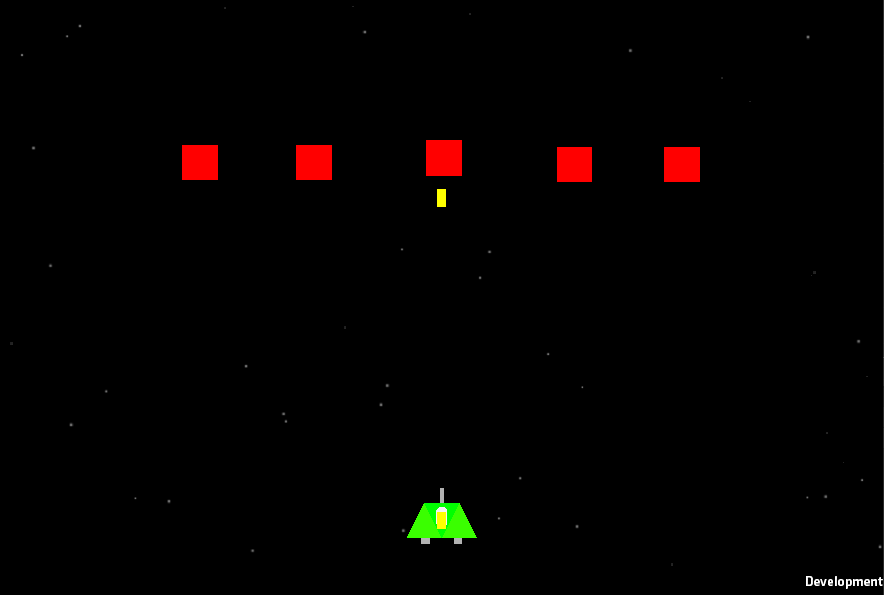
We were tasked to make a Space Invaders clone, so I made a prototype called Shape Invaders. Same concept as Space Invaders but they are all shapes trying to get past your shape.
The player is the Green Square to clarify quickly who you are and the player is placed at the bottom of the screen for more chances to shoot the enemy. The Red Squares are the enemies, they will spawn at the top of the screen, out of the camera’s view.
The enemies goal is to try and get passed you, so then they can invade your planet. Once one of the Red Squares get passed you, that shape won’t spawn back at the top of the screen but this makes easier for the player to juggle the Red Shapes.
Object Child
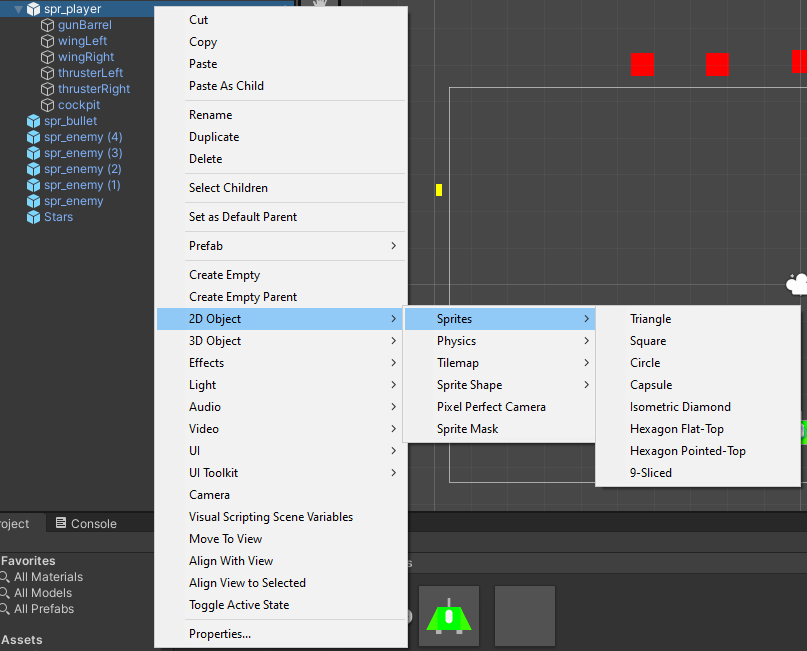
I needed to have my Player created, so I grabbed a Square Sprite. I grabbed one by Right Click, 2D Object, Sprites, Square. Now I have a base sprite for my Player that can be used with Codes and C# Scripts.
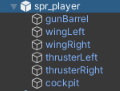
Our Player is going to be more than just a Square, so we can group multiple objects under one entity. This makes all shapes seem like one, making it look like a Space ship
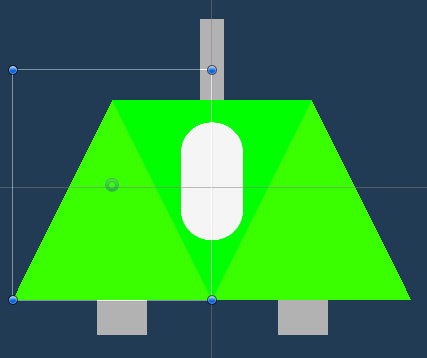
Player
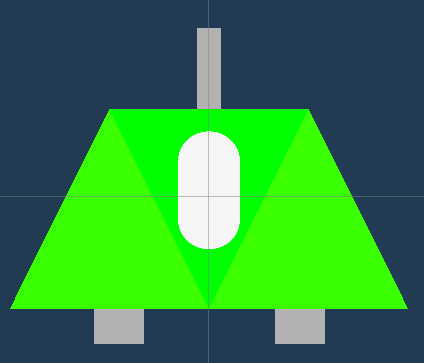
Made of 7 parts, 1 Square, 2 Triangles, 3 Rectangles and 1 Capsule. This is all located under 2D Object, Sprite tab. Making a quick nice Space ship for the Player to use
Enemy

Made of one Sprite Square, since the game is about Shapes Invading, I wanted to keep them as a Square. I have made the enemy Red to make it obvious that the shapes are evil and that’s what the Player should aim towards.
Bullet

Made from one Sprite Rectangle, this is used by the Player to shoot at the enemy. Its yellow to help stand out and its the iconic colour of a bullet. I was planning to make it Light Blue but I wanted to keep it Yellow to be a little different.
Adding Components

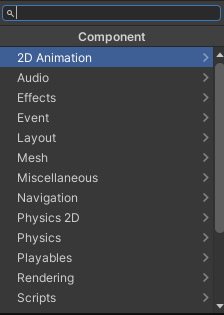
Now I have my Player, Enemy and my Bullet. But they won’t do anything currently, so we need to give them their C# Scripts and their Components in order to function. To add Components, whilst having an object selected, Head to the bottom-right of the screen and click Add Component. Then search for the component you want and select it.
Rigidbody 2D
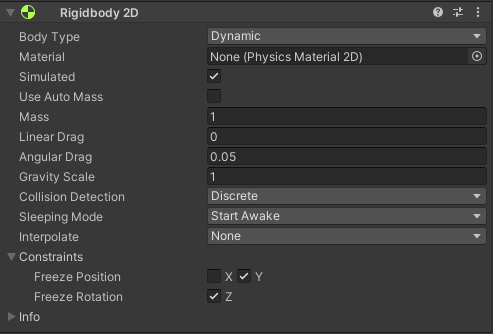
A Rigidbody 2D component places an object under the control of the physics engine. There is a Rigidbody 3D, the differences are that in 2D, objects can only move in the XY plane and can only rotate on an axis perpendicular to that plane, compared to Rigidbody 3D, which will have a Z plane.
Sprite Renderer
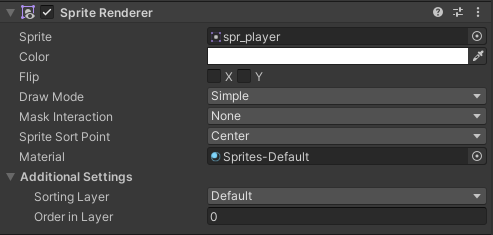
When you create a 2D/3D Sprite, Unity will automatically creates a GameObject with the Sprite Renderer component attached to the Sprite. You can also add the Sprite Renderer component to an existing GameObject as well.
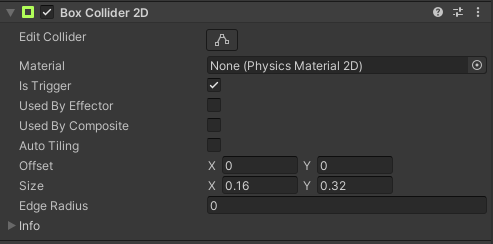
The Box Collider 2D is a Collider that interacts with the 2D physics system and other objects with the Component and through C# Scripts. It has a rectangle shape with a position, width and height in the local coordinate space of a Sprite. Its has a X, Y, Z Axis which you can alter to your liking
Scripts – Player, Bullet, Enemy

The Player C# Script contains the speed of the player, what bullet object it will be firing, how the bullet will spawn on the GameObject and the fire rate of how fast the bullets will spawn and shoot out.
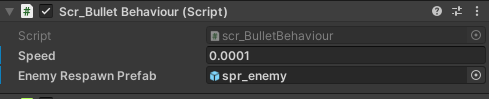
The Bullet C# Script will contain how fast the GameObject will go as soon as it spawns and will have Enemy Respawn Prefab so when the bullet hits the Enemy GameObject, it will destroy it and recreate a new one back at the top of the screen.

The Enemy C# Script will contain the speed of how fast it will drop down the screen to get past the Player and how the Enemy will respawn after being touched by the Bullet GameObject.
Fixed Problems
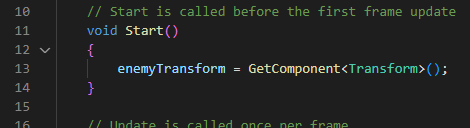
We did run into a problem with the enemy spawning and then when destroyed won’t respawn. Turns out there was a misspells on two lines of code, which it was Line 11 and 13. It used to be void sart(): for 11 and GetCompnent<Transform>(): on 13, when it should be void Start(): for 11 and GetComponent<Transform>(): for 13. Correct line of code is shown above.
Future Changes
There is a few changes we are planning to make are adding a texture onto the shapes like Metal, Wood, Carbon, etc. That way we can make it more styled to the players. Add a basic Space-like background with stars with some motion to give the game a bit more atmosphere. Make a better texture for the bullet/laser and maybe add a new shape to freshen the style.
What I have learned?
I have learned through Unity that I can create a Player Sprite for the player to use, Bullet Sprite so that the player/enemy can use it as a weapon and the Enemy Sprite so that the Player has some danger they will need to look out for.
I have a basic understanding on how Adding Components work and how to link one C# Script to another.