
Introduction
This week, we were tasked with making our own Art Assets for our Platformer Game Prototypes, this was to show what we could do in terms of creativity and style to stand out against other people.
My Platformer Game Prototype is going to have a simple with a simplistic Art style for the world and the characters. All Assets have been made on a 64 x 64px Canvas on Adobe Photoshop 2023.
Sprite – Player


The Player Sprite I have picked is a Mouse, the Player will be controlling this Sprite through out the entire Prototype. The mouse is a Tan Brown colour with Yellow on its Ears, Back and Tail. The Fur was going to be black to look more vicious but I didn’t feel like it was fitting the Tropical style that I wanted. So I went with a Tan Brown, looking like that have caught the sun and will look cute at the same time.
Sprite – Enemy


The only Enemy Sprite in the Prototype so far, this Hazard will be the first obstacle you will need to overcome in order for the Player to continue down the Level. A simplistic design, Matte Blue body, Black sockets with Red pupils, Evil grin with Sharp teeth and Spikes on the side of its body.
The colour of its body was between two colours, Stone Grey, to give an all Stone-like body to make it look like an ancient enemy. Or I would go with Matte Blue, to make it look ‘Squishy’ and give a more sinister look then Stone Grey.
Sprite – Spikes


The Spike Sprite, the second and last Hazard in the game that the Player will come across. The Player cannot destroy the Spike Sprite and will die when Collided with into It. They will need to jump across in order to get passed them.
This is the Original Spikes Sprite design and no changes were needed to be made. A simple Metal Grey design with a hint of White on it to show that the sun can shine on it.
Tiles – Primary


These are the first 3 Basic Sprites that were created. These Tile Sprites made the basic walking foundation for the Player, to traverse through the level. This allowed for a basic Grass floor to walk on, dirt underneath and Platforms to float in the Air.
Tiles – Secondary


I added a second set of Tile Sprites, these would be used to make Platforms that are still connected to the earth and would be also used to make Caves, Ruins, Entrances, Castle, etc, to make extra location that the Player will need to go through, on the Level.
Tiles – Detail


This is the last set of Tile Sprites I made for the Prototype, this will add further detail/decoration to the existing Environment. This will add further detail to the Cliff, Platforms, Caves, Ruins, Entrances and the Castle at the end of the Level. This would also used to make really small platforms that player can use to traverse the Level.
Further Practice
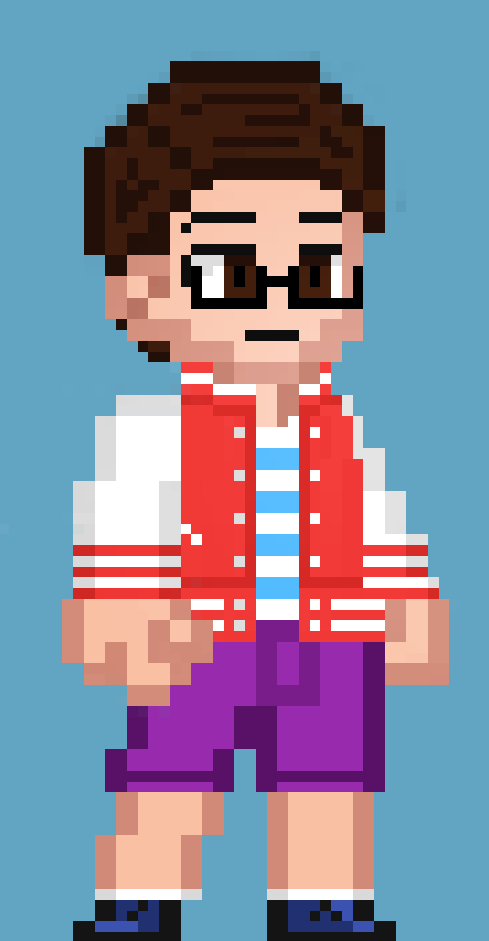
I made some further Artwork outside of my Modules and practiced more to further Improve my future Artwork. I enjoyed making this small Pixel Artwork of one of my Characters I want to create in the Future.
What was Challenging to me?
Choosing the Tile style I want for my Environment was proving to be challenging, I’m not good with coming up and making a choice with Assets I create to pick for my Prototypes. But In the end, I came with my design choice and continued the progress.
What Have I Learned?
I have learned to make better Artwork for my Sprites and my Environment. Having better choice making for the designs I make and help with gaining help from my Friends when I can’t make a decision.