
Introduction
For this week, I was tasked with making some ‘Potential’ Assets to make for a Top-down Shooter Game Prototype. The Game will have a Character Sprite for the Player to control, Enemy Sprites to create hazards that the Player will need to overcome and the Bullet Sprite that the Player can use to kill the Enemy Sprites that are getting close to the Character.
Canvas and Assets
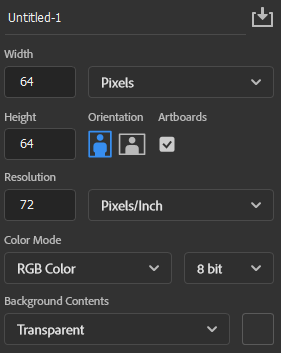
All Assets made for the Prototype were created in Adobe Photoshop 2023. Artworks used with Transparent Backgrounds for Full Compatible into Unity’s Folders.
None of this made it to the final Prototype of the game. (This was to help gain basic understanding of Game Environments).

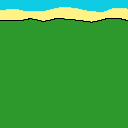
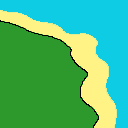


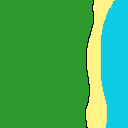
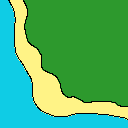

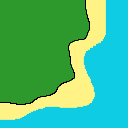
Artworks of each part of the Environment that the Game will taking place at. This takes place on a small Island with plenty of Grass and you can go up to the Beach and see the Ocean.
This basic Assets give me a basic understanding of thinking of and making different concepts of Environments, to make for future Games I could produce.
Sprites – Player, Enemy, Bullet
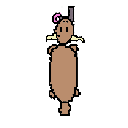
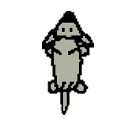
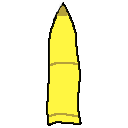
I made the basic Sprites of the Player, Enemy and the Bullet.
The Player will be controlling the Goat with a Gun in its mouth, going around protecting themselves from the Enemy and see how many points they can rank up. The was going to have a Silver White body but I wanted to go with a Bright Brown because it fitted better with the Environment.
The Enemy Sprite is a Wolf, hunting down the Player until they can kill the Goat. The Wolf has a Matte Silver look like a Cartoon Wolf. This is the Original Design, no changes were made to the Sprite.
The Bullet Sprite is a simple projectile that the Player will use in order to defend themselves against the Enemies that will hunt them down. The Bullet Sprite is a simple Yellow, Sharp tip Bullet which is Iconic in a lot of FPS or Gun Games. This is the original Design, no changes were to the Asset.
What was Challenging to me?
The problem I had was picking what kind of environment I wanted to use for my Sprites, this proved to be a challenge but in the end I just picked an Island for the Player to survive on.
What Have I Learned?
I have Learned how to make my own Character Sprites, Player Enemy Bullet and How to create my own Environment for my Sprites to navigate on. Creating my Sprites gave me a more understanding of Ideas and Design for future Projects.