
Competencies
PC3: COLLABORATION – Meet negotiated objectives in order to collaborate effectively and professionally within interdisciplinary teams and evaluate strategies to meet those objectives.
- Is there evidence of working as a team?
- Have you demonstrated evidence of working on feedback received for your work?
PC4: PROJECT MANAGEMENT – Implement a given plan and determine milestones to develop concepts to appropriate outcomes while managing time, resources, workload, deadlines and adapting to change.
- Have you used appropriate project management software to manage the project?
- Has this been updated and demonstrated clearly in your dev log?
PC5: SOFTWARE PROFICIENCY – Identify, select and assess the validity of tools, technologies and techniques in order to solve creative problems and demonstrate technical proficiency with specialism-specific software skills.
- Have you demonstrated the use of appropriate software for your role in the project?
Introduction
My Team, NeonByte Games were tasked with Making 3 Game Prototypes (Made 4 since we had 4 members). Add the Visuals, Mechanics and/or Story Elements to Them. Then we make a presentation, showcasing what Each of the Prototypes are about and give a reason why we made our Decisions for the Game Prototypes.
Then we all Make a Decision on Which Game Prototype we want to go Full Development on and make a True Game. In the End, The Team have Decided to Expand Development on The Thief Game Prototype.
NeonByte Logo: (Our Prop Designer Made this Logo)
Members:
Owen Ballinger – Character Designer
Suhayd Ahwal – Prop Designer
Ben Corcoran – Coder and Level Designer
Hussain Salah – Coder
Devlog – Notes
Before we can Further Develop Our Thief Game, we needed to make Further notes on what we will be adding in the game and Possible other Mechanics to Consider in the Development Stage.
Me and the Team spent 1-2 Weeks making Notes in Trello on what we will be adding and what we will take into consideration. Once we were done, we moved on to the Development Stage, into our Separate Roles.
Devlog – Player Spritesheet
In progress of Making a Simple yet Stereotypical Robber Outfit for the Player in the Museum Level. The Reference Sheet was Helpful for getting Anatomy as Accurate as Possible then I was able to add Development of Clothes.
Fully made the Clothing for the Player, made in all Black to hide in the night. I have made a Right-Side view of the Character, along with a simple walking animation for Going Down and Going Right.
I have made Left-Side View and Up-View Sprites and I have made Walk Sprites for both Left and Up View. I have Started on making Jumping Sprites for the Player.
Full Finishing Off the Front Jumping Sprites and Started Production on making the Right-Side view Jumping Sprites.
Added in Left-Side View and Up-View Jumping Sprites.
Fully Finished Jumping Sprites. Now Started making Interaction Sprites Set, I have made Down-View, Left-View and Right-View Interaction Sprites.
Finished the last Interaction Sprite, adding in the Up-View Interaction Sprites.
Made a new Set of Sprites, Running Sprites for Up View, Down View, Left-Side View and Right-Side View.
Added in Idle Sprite Set, that includes Up View, Down View, Left-Side View and Right-Side View.
Devlog – Enemy Spritesheet
Now I am on to making the Enemy Spritesheet. I have made a Duplicate of the Player’s Spritesheet for use to make the Enemy Spritesheet. I have Also found a Reference to help get a Better understanding of what the Guard Outfit should look like ,and what Colours that I could use.
I added in the Guard Outfit, Moustache for the Sprites. Removed some Sprite Sets since they were not needed for the Enemies to use. Removed Jumping, Interaction
Devlog – Player Sumerian Outfit
Duplicating my Player Spritesheet, now I needed to make a Sumerian Outfit for the Player to have in the Sumerian level. Using a Reference for Sumerians Outfits, I found one I liked and i could get to work.
The Three Logs for the Sumerian Outfit are just Reskinning the Player Sprites, since there is no need to redo all the Sprites again when they are already done.
Devlog – Enemy Sumerian Outfit
Duplicating the Sumerian Player Outfit Spritesheet for the Sumerian Outfit for the Enemies to have on the Sumerian level. All I did was Reskin the Sprites and Removed some Sprite Sets since they are not needed for the Enemies.
Removed Jumping and Interaction Sprite Sets.
Devlog – Walls and Floors
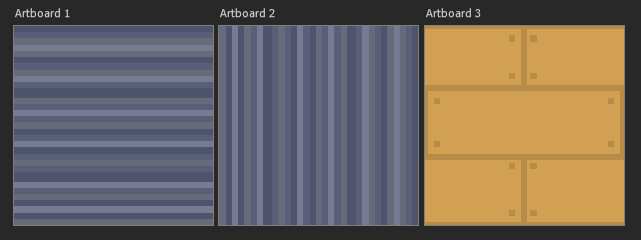
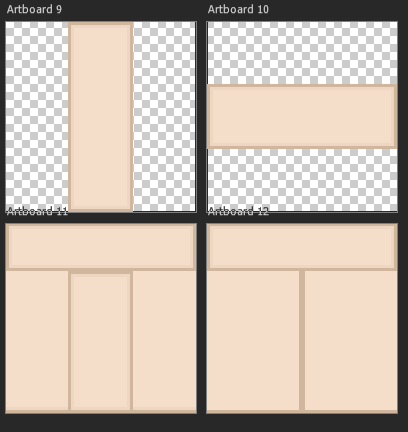
I made some Floors for the Museum Level and Walls for both Museum and the Sumerian Level. I forgot to Record myself making this but they will show up in the next video log i Make to show i have Made them.
I have made Marble Flooring for the Museum level and made Sand, Tilted Cracked Stone for the Sumerian Level.
Devlog – Communication
Showing the Group Chat from Start to current time (06/05/2024). Discussing and Sharing the Stuff we made for our Thief Game. Giving Our Opinions, Discussing Due Dates and Making sure where everyone is up to in their Progression.
Showing the Prop Designer Chat from Start to Current Time (06/05/2024). Talking about General Stuff, Sending Trello for Note Taking, Showing My Sprites and Meeting up to Talk and Work on our Game.
Showing the Coder – Level Designer Chat from Start to Current Time (06/05/2024). Mostly Getting opinions about my Sprites and receiving Requests to make more Art for the Game (More Sprites, changes to Sprites, Add more Floors and Walls).
Devlog – Game Video
References
Pixel Worlds Wiki (2016) Sand. Website, Wiki. Available online: https://pixelworlds.fandom.com/wiki/Sand [Accessed 7 May 2024].
TutsByKai (2018) Aseprite Tutorial – How to Pixel Art Sand. Youtube. Available online: https://www.youtube.com/watch?app=desktop&v=s5vtzVrLMJo [Accessed 7 May 2024].
NicePNG (n.d.) Prison Guard – Prison Guard Pixel Art. Nicepng. Available online: https://www.nicepng.com/ourpic/u2t4i1u2w7r5r5w7_prison-guard-prison-guard-pixel-art/ [Accessed 7 May 2024].
Pinterest (n.d.) Armor | Dawn of Civilization. Pinterest. Available online: https://www.pinterest.co.uk/pin/223209725257828320/ [Accessed 7 May 2024].