
Brief
This week, I was tasked with making an Augmented Reality Experience. It had to be created by a Website called Zapworks, that uses Image Trackers and WebGL to make Online Hosted AR Content.
In order to create my AR Content, I will need to use a Game Software called Unity and its WebGL function to allow the use of Image Tracking.
What is UX?
UX means User Experience. UX is the overall experience of a User on a Game, Website, Product, System or Service. UX focuses on the User Accessibility, Usability and Satisfaction.
Good UX means Users are satisfied with their experience and would come back to try more Products. A Bad UX means Users did not like their Experience and would not try that Product again.
The User Experience of a Game can be Improved by giving Users a Report/Feedback section in the Game. The Developers will get the Feedback and sort the Problems that Users have had with their Experience.
What is AR?
AR stands for Augmented Reality. AR uses Digital Assets and tries to accurately place them into the Real World. For Example, Apps like Snapchat have a AR Filter and Game like Pokémon Go use AR to place Pokémon into the Real World.
Advantages
- Increased Engagement – Keeps Customers engaged with products and that can help with achieving higher customer experience
- Personalized Experiences – Will allows customers to personalize their products by adding, editing or removing features and Assets
Disadvantages
- Limited Content – AR tends to have a limited selection of content and how many can be on One Project
- Limited Field Of View (FOV) – You have limited view to look around an Asset before it gets cut off, you would need to reposition your Camera.
AR Example:
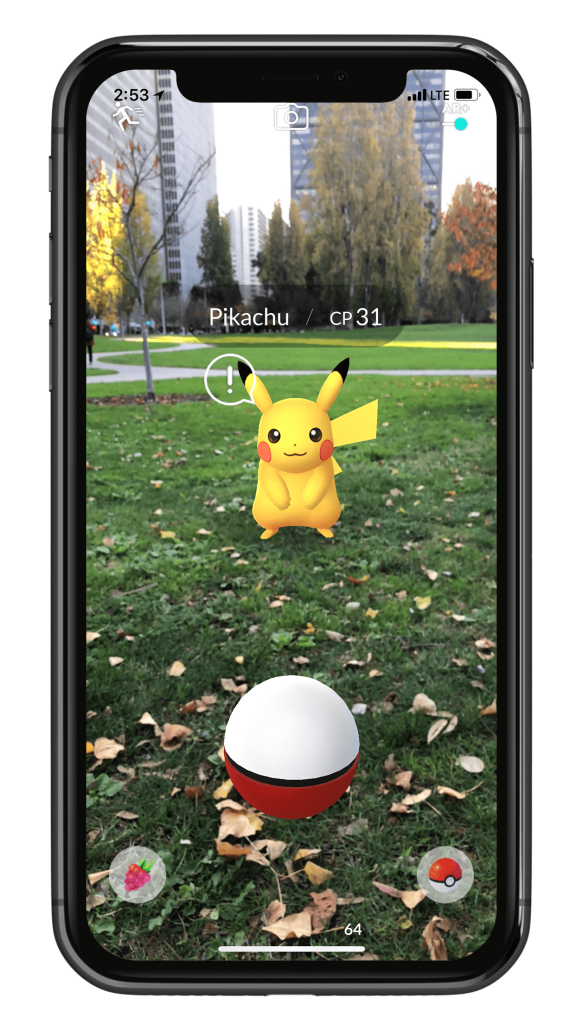
Pokémon Go uses AR to bring Pokémon and Place them into the Real World Environment. Moving the Camera, the Pokémon will stay in the place it has appeared. But objects and People walking past a Pokémon, the Pokémon will be on top of them, breaking immersion.
Week 3 – AR (Zapworks)
Zapworks Examples:
My Zapworks Project
Zapworks Demo


Lab Created Zapworks
I was given a Tutorial on how to create my first AR Zapworks Project. I would Create Image Trackers and Plugin Customs into Unity, Then make sure that WebGL is selected or it won’t work properly when Uploaded to Zapworks.

My Custom Zapworks
After following the Tutorial on how to make AR with Zapworks, my final tasks was to make my own AR Zapworks project but with my own Assets and Custom Images. I wanted to use my 3D Character from my Previous Modules, so I used her and grabbed a quick Anime Background to fit with the Style.


Unity and Zapworks was sure fun to play with, having my Assets shown in real life was awesome to see. This can seem quite helpful to show off Assets to many people and it will feel more engaging. This can also be used to see Furniture in the Room, make sure to have the Image somewhere on the Floor.
Do I plan to use this Software again for my Final Project?
As much I liked the idea of ZapWorks AR, I don’t think this is the Route I want to go with for my Final Project. I want to be able to Create my own environment and make a scene in it. But if I did:
Advantages:
- Can get creative with the Models and the Images
- I now know how to make more ZapWorks projects
- Anyone will be able to access my Projects if they have my QR code
Disadvantages:
- I would have to keep adjusting the Model until I am satisfied, wasting precious time
- Me and Unity don’t like to get along very well
Which Software will I consider Using more?
Out of all the Softwares I used so far, is still the 360 Video in Autodesk Maya. Maya has grabbed my attention due to being able to make my Environments and make a Scene in them.
Concepts/Ideas
First Idea could be all my Digital Assets shown with One or Multiple Images. People can then look at my Assets up close and a complete 360 View of all of them.
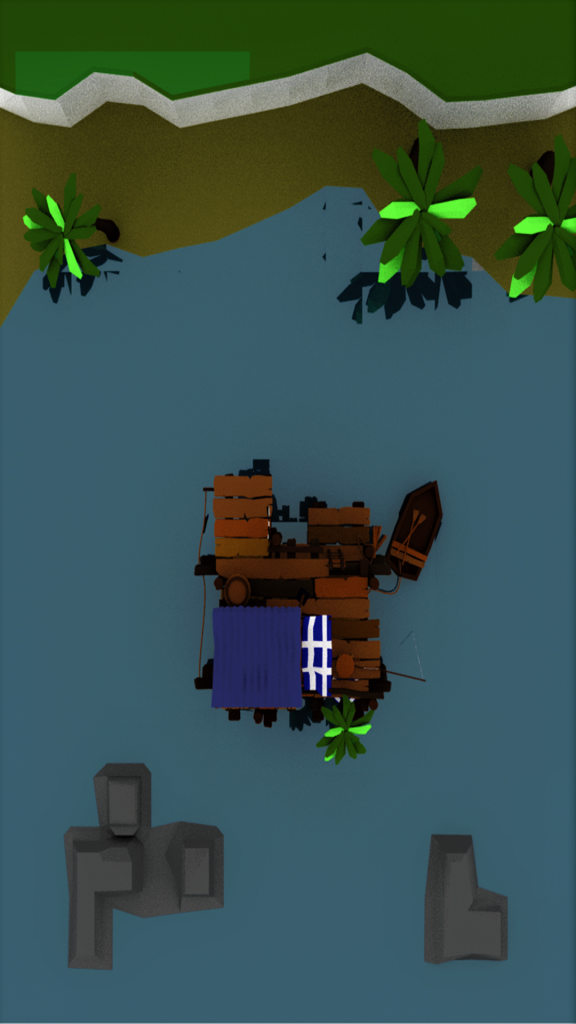
Second Idea could be making a little animated Project of a Floating Island with Moving Water, Leaves from the Trees, Glowing of Lanterns, Wind and Moving Grass.
References
Pokémon GO (2017) AR+ is now available in Pokémon GO! Pokémon GO. Available online: https://pokemongolive.com/post/arplus/ [Accessed 17 Oct. 2024].
Zappar (2018a) Introduction to ZapWorks. YouTube. Available online: https://www.youtube.com/watch?v=NxeJiLYXQ0w [Accessed 15 Oct. 2024].
Zappar (2018b) ZapWorks User Showcase: Studio | Football Mini-Game Tutorial. YouTube. Available online: https://www.youtube.com/watch?v=q_GhVVWBB5Y [Accessed 15 Oct. 2024].